


X
4.8796.81K Reviews
App Specs
- Version
- 12.37.2-prod.01
- Updated On
- License
- Free
- Downloads
- 1,000,000,000+
- Developer
- X Corp.
- Categories
- News & Magazines
- Platform
- Android, iOS
Screenshots
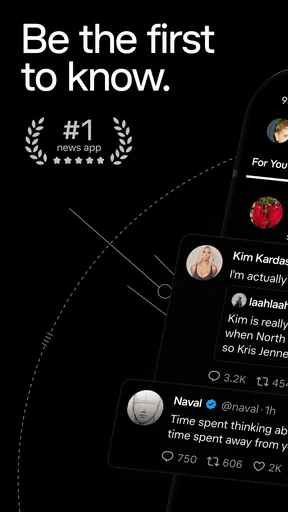
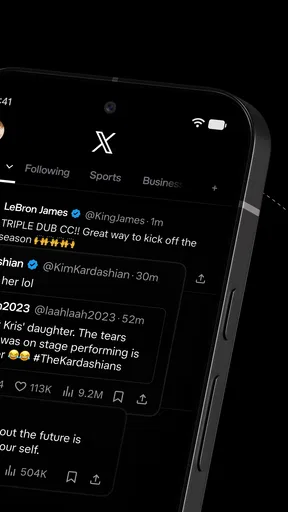

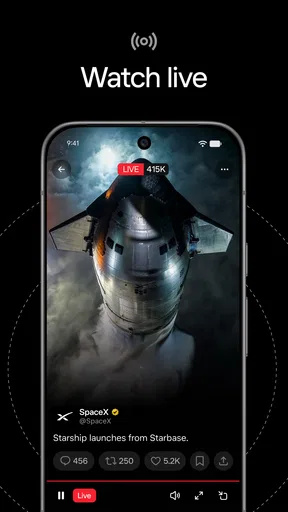
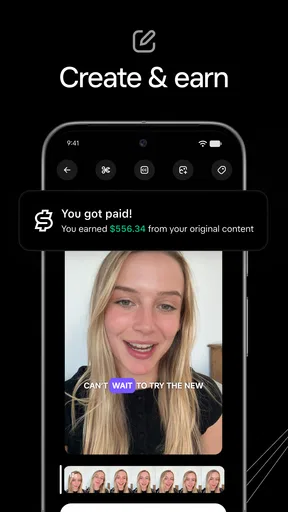
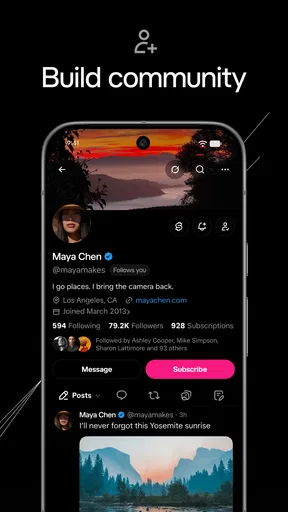
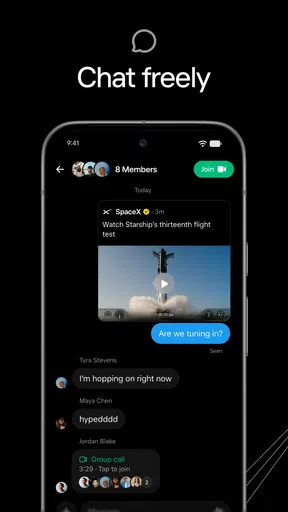
 Analysis by AppCompare
I use X as a fast-moving news reader, a public conversation space, and a place to follow people who post directly from events. It is not a calm, carefully edited magazine, and that is exactly why it can feel both useful and exhausting. In a few minutes, I can see breaking reports, reactions from specialists, links to longer coverage, and ordinary updates from people I follow. I can also run into rumors, arguments, recycled posts, and content that needs checking before I trust it.
That mixture makes X difficult to judge with a simple thumbs-up or thumbs-down. As a free News & Magazines app from X Corp., it has become a familiar part of mobile news habits, with a 4.6 average from around 24 million ratings and more than 1 billion installs. Those figures reflect enormous reach, but they do not mean every user will enjoy the same experience. The quality depends heavily on whom you follow, how you organize your timeline, and how carefully you treat fast claims.
How X feels in everyday use today
The first thing I notice is speed. When an event develops, posts often appear before a traditional article has been written, especially when people at the location are sharing short updates. That makes the app valuable for live situations: weather disruptions, product announcements, sports discussions, public meetings, technology news, or a developing story that I want to monitor rather than read about hours later.
Guides and Analysis on X
The trade-off is that speed removes some of the editing and context I expect from a conventional news app. One post may contain a useful observation, while the next confidently repeats something unverified. I have learned to treat the timeline as a tip sheet rather than a finished newspaper. I look for the original source, compare independent reports, and open the linked article before accepting a dramatic claim.
The app also works as a social network, not only as a headline feed. I can follow journalists, researchers, companies, artists, local accounts, friends, and commentators in one place. That range is its strongest advantage over many single-purpose news readers. A conventional publication gives me a clearer editorial line; X gives me a wider window into how different people are reacting in real time.
That breadth can become noisy. A carefully selected following list may still produce unrelated arguments, repeated jokes, promotional posts, and discussions that move too quickly to follow. I find the experience much better when I actively mute topics, unfollow accounts that no longer help, and use lists or searches for specific interests instead of relying on one endless stream.
A practical morning routine
My most useful routine is to avoid treating the default feed as my entire news source. I begin with a focused group of accounts connected to the subjects I care about, then search for the event or topic itself. After that, I open the most credible links and leave the app when I need a complete explanation. This approach keeps X in its best role: a discovery and monitoring tool that points me toward information.
Worth Reading Before You Choose

QuizzLand Review: A Good Fit for Short Trivia Breaks, Not Every Player

Basketball Stars: Multiplayer Is Fast, but Can It Recover When Matches Go Wrong?

WEBTOON Turns Phone Updates Into a Better Reading Routine

Link to Windows Runs on Shared Habits, Not Social Feeds

How Alibaba.com Dominates the B2B Marketplace

Metro's Quiet Rise: Redefining Mobile Communication
For example, if a transit problem affects my commute, I can search the relevant service or location and see firsthand updates quickly. I still check an official notice before changing my plans, because a post from one passenger may describe a local delay rather than the whole network. That small habit prevents the app’s immediacy from turning into unnecessary confusion.
Another useful workflow is saving posts that contain sources instead of trying to remember everything that appears in the feed. I can return to the original thread later, compare updates, and decide whether the information has become clearer. This is more reliable than sharing the first striking sentence I see, particularly during a developing story.
What the current version tells me about its direction
The current version is 12.19.1-release.0, and the app supports operating systems from version 9 onward. Those details matter mainly to people using older phones: compatibility is broad, but the exact experience will still depend on the device and its software environment. The app is mature rather than experimental, and its scale shows in how many different uses have accumulated around the same timeline.
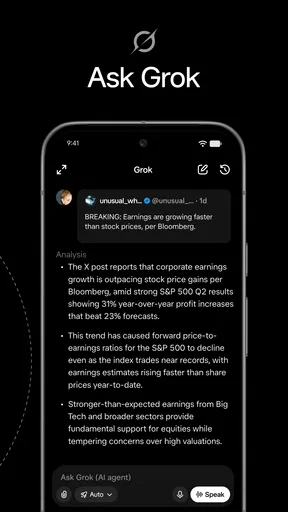
The store summary presents it as a combination of breaking news, social media, and Grok AI explanations for posts. In practice, that positioning suggests a product trying to do more than display short messages. It wants to help users discover live information, participate in public conversation, and add an explanatory layer when a post is difficult to understand. I see that as a useful direction, but I do not treat an automated explanation as a substitute for reading the source or checking the surrounding conversation.
The presence of an explanation tool can be helpful when a post contains unfamiliar references, a long chain of replies, or a claim that needs basic context. Its value is greatest as a starting point for questions: What is this post referring to? Which part is an opinion? Where should I verify the claim? The important limitation is that explanation is not the same as proof. I would never use an AI-generated interpretation as my only basis for a medical, financial, legal, or safety decision.
That distinction is especially important on a platform where posts can be sarcastic, incomplete, edited, or deliberately provocative. Context may sit several replies away, inside an image, or in a link that the original post summarizes poorly. Even a clear explanation can miss what the author intended. I use the feature to reduce confusion, not to outsource judgment.
What has changed for established users
People who have used X for years will recognize the basic rhythm: short posts, replies, reposts, hashtags, direct conversations, and a constant flow of public commentary. The surrounding experience feels broader than a simple chronological message board because the app now competes with news readers, video feeds, creator platforms, and AI-assisted discovery tools at the same time.
For an existing user, that evolution can be convenient and distracting in equal measure. Convenience comes from having breaking reports, links, reactions, and explanations in one application. Distraction comes from the same consolidation: the app is no longer just a place to follow a small circle of people. It can become a general-purpose stream that mixes personal interests with public events and algorithmic recommendations.
I recommend reviewing the accounts and topics that shape the feed after any long break from the app. Old follows may no longer reflect current interests, and a timeline built casually over time can become much less useful than one rebuilt with intention. I also prefer separating professional monitoring from personal browsing. A focused list for work or research is easier to scan than trying to remember which part of the main feed matters.
Notifications deserve the same attention. If I allow every reply, mention, or trending prompt to interrupt me, X quickly becomes a source of fragmented attention. I keep alerts limited to people or conversations that genuinely require a response. That simple adjustment changes the app from an always-on distraction into something I can check at chosen times.
Where it is stronger than ordinary news apps
The clearest advantage over a standard news application is the connection between an event and the people experiencing or analyzing it. A news app may give me a polished article, while X can show the initial observation, the public reaction, corrections, specialist commentary, and links to several outlets. For live monitoring, that density is hard to match.
It is also more flexible than a single publisher’s app. I can follow competing viewpoints, independent writers, official organizations, and niche communities without changing platforms. That makes it particularly useful for subjects where the best information is scattered across many sources. Technology, local issues, entertainment communities, and professional fields often benefit from this direct access.
On the other hand, a traditional news app is usually better when I want a clean reading experience, a clear editorial hierarchy, and a finished account of what happened. X makes me perform more of the filtering myself. If I am tired, short on time, or looking for a reliable summary rather than an unfolding debate, I would choose the conventional article first.
It also differs from a private messaging app. Public posting encourages discovery and broad discussion, but it is not the right place for sensitive personal information. I am careful about what I share publicly, even when a conversation feels friendly. The audience can be much larger than the immediate replies suggest, and public words can travel beyond the original context.
Important limitations I would not ignore
The biggest weakness is uneven reliability. A post can look authoritative because it has confident wording, a striking image, or many reactions. None of those qualities confirms that it is correct. I check dates, original sources, and whether later replies correct the claim. During a fast story, I expect early information to change, so I avoid making firm conclusions from a single post.
Moderation and content exposure are another concern for some users. The mature 17+ rating is a clear signal that the public feed can include adult themes, strong language, disturbing events, and confrontational material. Even when I follow relatively calm accounts, searches and replies can lead somewhere much harsher. This is not an ideal environment for children, and adults who want a consistently gentle feed may find it stressful.
Arguments can dominate attention because conflict attracts replies. A useful discussion may quickly turn into personal attacks, quote-posting, or people responding to different interpretations of the same sentence. I have found that muting a conversation is often more effective than trying to win it. Blocking or removing an account from my feed is also reasonable when the interaction stops being useful.
There is a financial layer as well. The app is free to download and use, but optional in-app purchases range from $0.99 to $999.99 per item. That wide range means I would review any purchase screen carefully and avoid assuming that every feature is included at no cost. Anyone sharing a device or payment method should use the relevant purchase safeguards, especially because the basic free experience can make optional upgrades feel easy to explore.
Another limitation is attention management. The app can make every topic appear urgent, even when it has no practical effect on my day. I get better results when I set a purpose before opening it: checking a live event, finding a source, reading a particular account, or joining a specific conversation. Without that purpose, ten minutes can disappear into unrelated recommendations.
Three habits that make the app more useful
First, I separate discovery from verification. I use the timeline and search to find leads, then move to the linked source or an official account before repeating the information. This is particularly important for emergencies, public announcements, health claims, and financial news. The app is excellent at showing me what people are discussing; it is not automatically the final authority on whether the discussion is accurate.
Second, I build small, intentional groups instead of following every interesting account. A list for local information, another for work, and another for hobbies gives me a more manageable way to scan the service. This also reduces the chance that a sensational topic overwhelms the accounts I actually opened the app to read.
Third, I use conversation controls early. Muting a keyword or thread can protect the usefulness of the feed without requiring me to leave every community that occasionally becomes noisy. I also avoid engaging with obvious bait. On a platform driven by replies and visibility, responding angrily can give an unhelpful post more attention than it deserves.
A fourth habit is to read beyond the first visible post in a thread. Important qualifications often appear in replies, attached links, or later updates. This takes longer, but it is one of the simplest ways to avoid misunderstanding a clipped statement. I am especially cautious when a post presents a complex subject in one dramatic sentence.
Who should use it, and who should skip it
X is a strong choice for people who want live public conversation, direct updates from organizations or specialists, and a broad view of how a story is developing. It suits users who enjoy exploring links, comparing perspectives, and building their own information filters. It is also useful for creators and professionals who need to watch a niche community without waiting for coverage to appear elsewhere.
I would recommend caution for anyone who wants a quiet, chronological, heavily edited news experience. The app asks for active curation, and some users will reasonably decide that the effort is not worth it. It is also a poor fit for people who find public conflict or disturbing material especially upsetting. The mature rating should be taken seriously rather than treated as a minor label.
For children, I would choose a more controlled service. The combination of public replies, adult content, fast rumors, and direct exposure to strangers makes this a difficult place to supervise casually. Even adults should think about whether the platform’s public nature matches what they want to share and consume.
What I would watch as the product evolves
The most interesting direction is the balance between fast conversation and dependable understanding. Grok explanations may make complicated posts easier to approach, but the real test is whether they encourage better source checking instead of giving users a false sense of certainty. I would use the feature as a guide and continue to judge important information independently.
I would also watch how well the app lets people control the mixture of news, recommendations, personal updates, and promotional material. X is most valuable when I can shape the feed around a clear purpose. If discovery becomes too dominant, the service may feel less like a tool and more like an endless stream competing for attention.
The current release shows an established product continuing to combine social posting with news discovery and AI-assisted context. That evolution benefits users who want several functions together, but it does not remove the need for careful filtering. The app’s core strength remains immediacy; its core responsibility for the user is knowing when immediacy is not enough.
My final view is positive but selective. I keep X available because it can surface useful information faster than ordinary news apps and connect me with perspectives I would otherwise miss. I do not use it as my only news source, and I would not recommend opening it without adjusting notifications, following deliberately, and learning to verify what looks important. It is best used as a live information radar, not as a complete substitute for reporting. With that expectation, the free app is genuinely valuable; without it, the noise and uncertainty can easily outweigh the convenience.
Pros
- Simple interface makes the app easy to navigate.
- Responsive performance on most modern devices.
- Useful core features are accessible without lengthy setup.
- Regular updates can improve stability and add new functionality.
- Works well for users seeking a straightforward mobile experience.
Cons
- Some advanced features may require extra purchases or subscriptions.
- Performance can vary on older phones and tablets.
- The app may request permissions users consider unnecessary.
- Offline functionality may be limited for some features.
- Frequent notifications could become distracting for some users.
FAQs for X
What is X, and what can I use it for?
X is a versatile application designed to provide users with its main digital service in a convenient mobile format. Depending on how you plan to use it, the app may offer tools for communication, content, entertainment, productivity, or account management. Before downloading, review its official description carefully to confirm that its features match your expectations and are available in your country or region.
Is X free to download and use?
X may be free to download, but some features or content could require in-app purchases, a subscription, or additional payments. After installing the app, check the pricing section before starting a trial or confirming a purchase. Also pay attention to automatic renewal terms, since subscriptions can continue charging your account unless they are canceled through the relevant Android or iOS settings.
What devices and operating systems are compatible with X?
Compatibility depends on the version of Android or iOS installed on your device, as well as the phone or tablet model you use. Older devices may not support the latest release or may provide a less reliable experience. Check the app store listing for the minimum operating-system requirement, available storage, and any region restrictions before beginning the download.
Does X require an account, an internet connection, or special permissions?
X may require you to create or sign in to an account in order to access its complete set of features. Many functions could also depend on a stable Wi-Fi or mobile-data connection, while offline access may be limited. During setup, review permissions involving notifications, storage, camera, microphone, location, or contacts, and allow only those that are necessary for the features you intend to use.
Is X safe to download, and how is personal data handled?
For safety, download X only from the official Google Play Store or Apple App Store rather than from unknown websites or modified installation files. Before installing, read the developer information, recent user reviews, privacy policy, and data-safety details. Keep the app updated, use a strong password, and avoid sharing sensitive information unless you understand how the service collects, stores, and uses it.


